An email that wasn't in my inbox
I have a personal AI assistant. Every morning, shortly after six, it sends me a briefing: unread mail, the day's appointments, what is still open, the state of the systems I keep running. I read it before coffee.
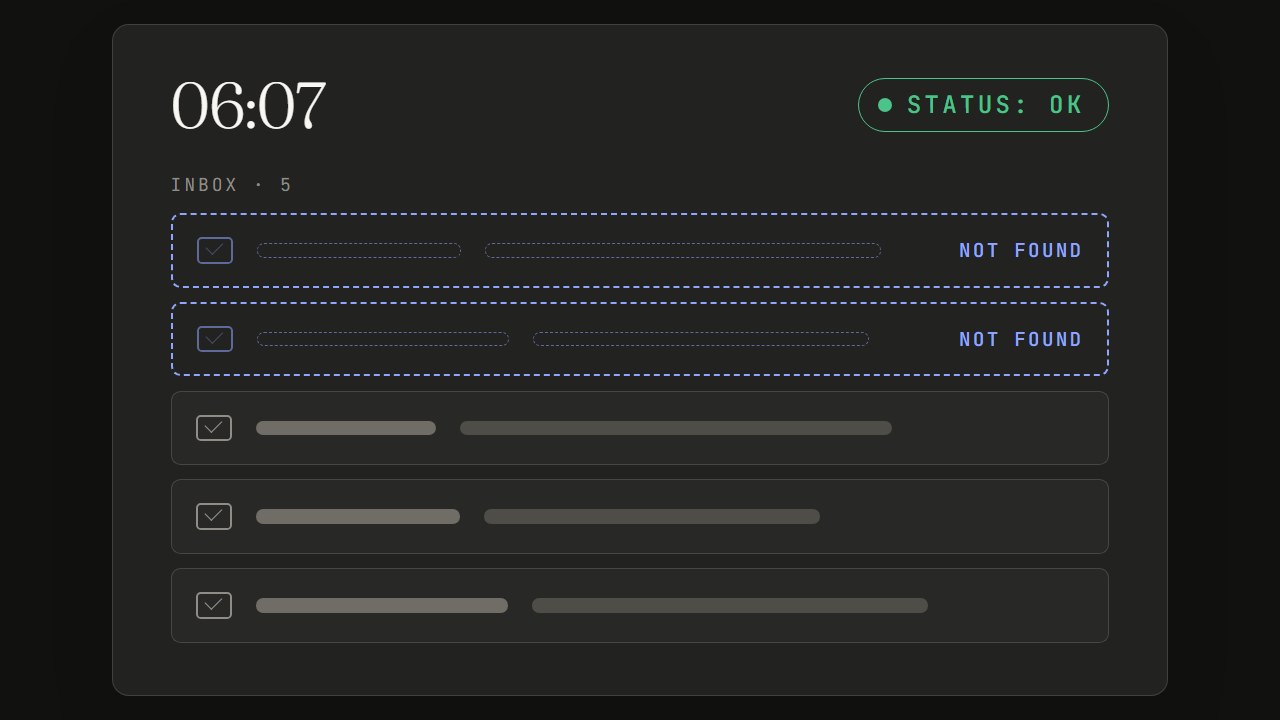
On the morning of July 27, 2026, the unread mail included two messages from senders I had never seen. One was about a service I actually use, with a perfectly plausible subject line. I looked for it in my inbox and it wasn't there. I looked everywhere, spam and trash included. Nothing.
That email had never existed. The real unread messages were three, weeks old, all from the same automated sender. The model had picked the name of that service out of its own instructions, which contained the rules for handling its notifications, and had stitched a believable sender and subject around it.
So far it sounds like the usual story about AI making things up. The interesting part came later, when I looked for the reason: working backwards, the false data had been going on for days.
Three failures, stacked
Underneath there were three independent failures. None of them was visible from the outside. Together they produced a briefing that looked normal.
status: ok The briefing arrives every morning, neatly formatted
- 01Mail access has expiredMail and calendar can no longer be read
- 02The script that reads them was half rewrittenEven with valid access, it reads nothing
- 03The instructions ask for two incompatible thingsWith no data, the model fills the gaps
1. Mail access had expired, and it was meant to
The assistant reads mail and calendar through a Google authorization. The app I had registered was still in "Testing" status in the console, and in that status Google expires the authorization after seven days. It wasn't a fault: it was the expected behavior.
My notes said "the token renews itself, no action needed". True for the token that lasts an hour. False for the one used to renew it, which was the one dying. It had already happened the week before: I had signed in again and everything had started working, for exactly seven more days.
2. The script that talks to Google had been half rewritten
The file the assistant uses to read mail and calendar was 4 KB instead of 43. At the bottom there was a comment: the rest of the logic is omitted for brevity, the full version is in the repository.
It wasn't a truncated file. It was a file rewritten by a model during a working session the evening before: it had carefully copied the header and replaced everything else with a pointer. A summary where the program should be.
That morning's automatic update didn't repair it, and for a sensible reason: Hermes Agent, the tool the assistant runs on, does not overwrite files the user has modified. But from the outside, a corruption looks exactly like a customization.
3. The instructions asked for two incompatible things
At the top of the briefing's instructions there was a rule, in capitals: never return an empty answer. At the bottom there was another: if a piece of data is unavailable say so, never make anything up.
As long as everything works, the two rules live together without trouble. When the sources stop answering they contradict each other, and the model picked the one that came first and was written louder.
Conflicting instructions get resolved in the worst possible way.
The moment they matter is exactly the moment they contradict each other.
Why I didn't notice
This is the part that matters more than the failures.
- The briefing arrived every morning. A well formatted message, with its sections in place, does not look like a failure
- The run status said "ok", even for briefings made up from top to bottom
- I was checking that the output existed, not what was in it. The day before I had written in my notes "last run verified, result ok". I had verified that the file existed. Inside it, the assistant was saying it could not reach Google
- The false data was plausible. An email about that service is exactly the kind of email I really get
A crash gets noticed. A list of made-up emails doesn't.
Every check I had verified that something was present: the file is there, the job started, the assistant answered. None of them looked at the content. A service that answers is not a service that works.
The multiplier: the wrong model for the job
To save money I had set cohere/north-mini-code:free as the main model: a free model built for writing code, doing a job that has nothing to do with code, which is reading mail, calendar and tasks and summarizing them. The estimated saving was about $4.50 a month.
That same morning, after repairing the sources, I ran the exact same briefing on deepseek/deepseek-v4-flash.
| north-mini-code, 06:07 | deepseek-v4-flash, 12:19 | |
|---|---|---|
| Unread mail | 2 made-up senders | 1 email, real |
| Open tasks | 16 of 28, the rest cut without saying so | 28 of 28 |
| Anomalies from another system | 2 identical lines, duplicated | 5 distinct anomalies, with date and cause |
On mail the comparison is not like for like: at 06:07 access was broken, and the first model had nothing to read. On the other two rows it is: those sources worked in both runs, and the difference is all down to the model.
The same model, when I asked it in chat to look for that email, answered four times without executing anything. At one point it asked me which mail provider I used. It had it in its own configuration.
An unsuitable model doesn't produce errors, it produces plausible results.
It turned silent failures into false data, and that makes the saving a false saving. This is no criticism of that model, which is built for a different job. The mistake was mine: putting it on this one.
What I changed
- The model:
deepseek/deepseek-v4-flashas primary,openai/gpt-oss-120b:freeas fallback - Access: app moved to production in the Google console, so the authorization no longer expires every seven days
- The script: restored from the good copy
- The instructions: the "never empty" rule is gone. A block with no data now says "not available" and why
- Detection: a check that runs before the briefing, every morning
The last one is the piece that matters. It is deliberately a script and not an agent: it doesn't interpret and it doesn't summarize, so it cannot report an outcome different from the real one. If everything is fine it stays silent. It checks three things, one for each failure of that day, and it checks the first by making a real call to the service, not by looking at whether the credentials exist.
The six rules I have used since
In the months that followed I wrote about ten checks like that one. Going back over the cases where they had failed, I kept finding the same four shapes: they verified presence instead of state, they detected without repairing, they went quiet when they were the ones breaking, and what was running no longer matched what I had written down. Six rules came out of that.
1. Check the state, not the presence
The question is "can it do its job?", not "does it answer?". A check that can pass while the function is broken is not a check of that function. Mine, on the credentials, passed even with revoked credentials: it looked at whether the file was there.
2. Repair on your own, if the repair is safe and can be undone
For weeks an alert told me "retry manually". If the only action an alert suggests is one the script could have done itself, that is the repair. On two conditions: keep a copy of what was there before, and never delete.
3. Speak in two cases only
It repaired: one line, with the clue about what had broken it. It cannot repair: one line with the exact action to take, not generic advice. Silence means one thing only: I checked and everything was fine.
4. "I couldn't check" must not look like "ok"
Retry, and if it still fails, say so. And never take a destructive action on a passing error: one of my checks deleted the credentials on every failed verification, including the ones that failed because the network was down at that moment.
5. It must be testable without touching the real thing
A check whose failure mode is silence has to be put in front of a fake breakage, in every branch, before you trust its silence. Otherwise you are just hoping.
6. What runs must be what is written
One copy of the check, under version control, and from there it reaches the place where it runs. And a check that has something to say is not a failed check: if the system treats every message it sends as an error, within a week you stop reading them.
If you have an AI agent working for you, or for your team
Five questions. If you can't answer one of them, that is where I would look.
- Do your checks look at the content, or only at whether something arrived?
- When a source stops answering, does the agent say so or fill the gap? Try it: unplug a source and look at what it writes
- Do the instructions hold when something breaks? Look for pairs that contradict each other under failure, like "always answer" and "never make things up"
- Was the model chosen for the job, or for the price?
- Is the thing checking the agent another model? Then it can fail in the same way. A real check is a script with nothing to interpret
You cannot fully stop a model from making things up. What you can do is build things so that, when it happens, you are the one who notices. And before whoever receives the result.
If you are setting up something similar and want to compare notes, reach out.
Frequently asked questions
Why does AI make up answers?
A language model produces the most plausible text, not the true text. As long as it has the data in front of it, the two almost always coincide. When the data is missing and the instructions push it to answer anyway, it fills the gap with something believable. In my case it took the name of a service from its own instructions and built an email around it.
Can AI hallucinations be avoided?
Not completely. They can be made much rarer: by giving the model the data instead of letting it imagine it, by removing instructions that force it to always answer, by choosing a model suited to the job. What you can really do is build your checks so that when it happens, you notice.
How do you tell that an AI agent is making up data?
Not by reading the output, which is plausible by construction. You tell by checking the sources: was the agent actually able to read what it says it read? You need a separate check, one that is not itself a model, that verifies the state of the sources with a real call before the agent does its work.
Does a more expensive model make things up less?
What matters more is that it fits the job. I had put a free model built for writing code on summarizing mail and calendar, to save about $4.50 a month. On the exact same task another model reported 28 tasks out of 28 instead of 16, without making anything up.
What does human in the loop mean?
It means a person approves before an AI action takes effect. It works for actions: publishing, sending, paying. It is not enough for information: a false but plausible briefing gets past anyone's approval, because the reader has no way of knowing it is false. That is where you need checks on the sources.
What are guardrails for an AI agent?
They are the limits and checks placed around an agent: what it can do, what it has to ask, what gets verified before and after. The most useful ones do not live in the instructions given to the model, which the model can ignore, but outside it: scripts and rules that run anyway, whatever the model decides.

Holti Bitri
CTO & AI Innovator, TIG Factory. I design and lead workflows where AI agents and people build software together: written rules, a check at every step, human decisions. LinkedIn · holtibitri.com